1. Go to Outlook > Preferences > Account
2. Click the plus (+) sign > New Account
3. Enter your email address > Continue
4. When prompted, enter the password for the account and then Sign in.
6. Done

NOTE: It may take a bit of time for Outlook to synchronise your data with the Office 365 server. During this time, some folders may appear empty.
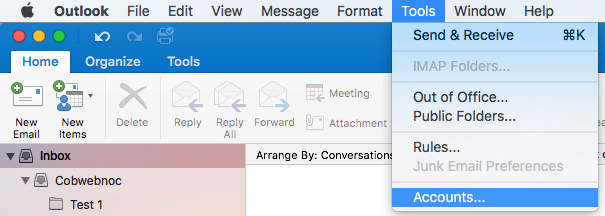
To add another account, select Tools > Accounts. Then select the plus (+) sign > New Account.